

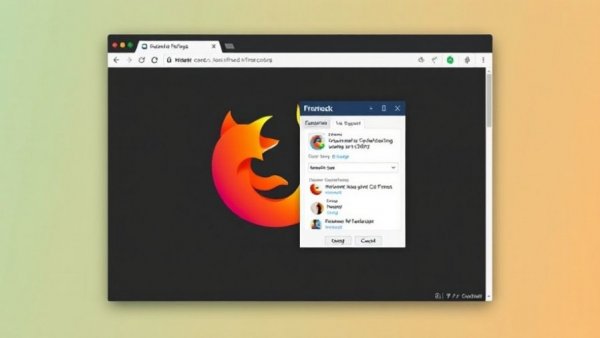
Revolutionizing Multitasking: The Firefox Mini Window
In an era where efficiency is paramount, multitasking has become a necessity for professionals across various sectors. Mozilla's Firefox, a popular web browser known for its robust features, has taken a significant step forward with the introduction of the Mini Window feature. Still in beta, this innovative addition allows users to pop out tabs into a separate mini window, designed specifically for easy access and reference while juggling multiple tasks.
Understanding the Mini Window Feature
What exactly is the Mini Window? At its core, this feature enables users to isolate a particular tab (or even a section within a tab) into what resembles a web app. This streamlined interface appears devoid of traditional browser elements, presenting users with just the content they need. Users can hover their cursor over this mini window to reveal essential navigation tools—unchained from distractions, allowing for focused work.
Practical Applications: A Game-Changer for Professionals
Imagine you're preparing a report or a presentation. With the Mini Window, you can keep your main document open while referencing critical information from an article, all without demanding extra space on your screen. For those working on laptops or in tight office spaces, this feature represents a substantial productivity boost. Instead of toggling between browser tabs, the Mini Window keeps pertinent information at your fingertips, ensuring a seamless workflow.
Getting Started: Simple Steps to Use Firefox’s Mini Window
Using this exciting feature is simple, but its current availability is limited to Firefox Nightly, an experimental version of the browser. Users can easily switch an open tab into a Mini Window by right-clicking on the tab and selecting the ‘Move to Mini Window’ option. For professionals keen on trying this beta feature before its stable release on November 10, using Firefox Nightly is a must, providing a preview of what could redefine multitasking.
Why Choose Mini Window Over Other Browsers?
While options abound in the web browser realm, the Mini Window distinctly sets Firefox apart from competitors like Chrome. It offers a tailored environment for multitaskers that integrates seamlessly into the existing workflow, without the clutter typically associated with browsing. This unique feature not only enhances productivity but also aligns with the growing demand for user-centered design in technological advancements.
Thinking Ahead: Future Trends in Browser Features
The introduction of the Mini Window is reflective of broader trends in digital workspace enhancements. As workplaces evolve to become more digital and remote, user-friendly tools that facilitate multitasking are gaining traction. Expect more browsers to adopt similar features as they strive to cater to the needs of a diversified workforce that relies heavily on digital tools. Companies focused on maintaining efficiency will find these advancements invaluable.
In conclusion, the Firefox Mini Window is more than just another browser enhancement; it’s a potential game-changer for professionals looking to optimize their workflow. As we adopt more digital tools, features like these will become essential in navigating the complexities of multitasking. Consider testing Firefox Nightly and experiencing firsthand how the Mini Window can reshape your productivity strategy. For more insights or support on integrating innovative technology into your operations, connect with us.





Write A Comment